
WordPress
Enterprise website security guide 2026: protect WordPress

José Debuchy
March 11, 2026 | 3 min to read
Enterprise WordPress sites face relentless security pressure, with brute-force login attacks accounting for roughly 40% of all attempted breaches. Marketing and IT decision-makers need practical, proven strategies to harden their platforms against evolving threats without compromising performance or agility. This guide delivers actionable steps to secure your enterprise WordPress environment, reduce attack surfaces, and maintain robust protection over time.
Key takeaways
| Point | Details |
|---|---|
| Primary threats | Brute-force attacks and vulnerable plugins drive most enterprise WordPress breaches |
| Security hardening | Implementing configuration changes and disabling risky features reduces attack surfaces significantly |
| XML-RPC risk | Disabling XML-RPC blocks common unauthorized access attempts when remote publishing isn’t required |
| Managed solutions | Proactive security integrations scale protection across multiple sites and block thousands of threats automatically |
Understanding the enterprise WordPress security landscape
Enterprise WordPress sites operate in a hostile digital environment where attackers constantly probe for weaknesses. Understanding the threat landscape helps you prioritize security investments and focus efforts where they matter most.
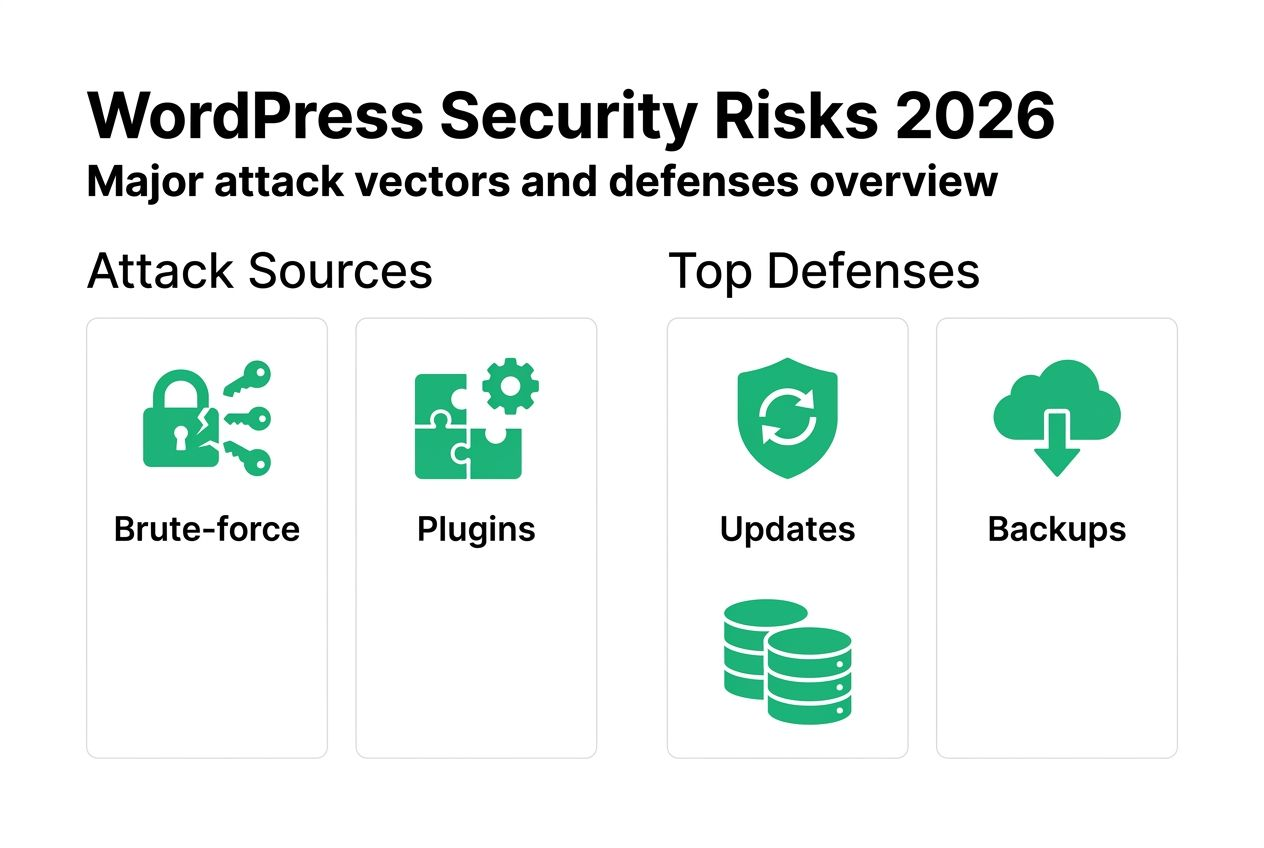
Brute-force login attacks account for roughly 40% of all attempted breaches, making authentication security a critical priority. These automated attacks bombard login pages with stolen credentials and common password combinations, exploiting weak authentication practices. The sheer volume overwhelms basic defenses, requiring layered protection strategies.
Plugins present an even larger vulnerability. Vulnerable plugins remain the single largest entry point at 56% of compromised sites, highlighting how third-party code introduces risk at scale. Each plugin expands your attack surface, particularly when developers abandon maintenance or fail to patch known vulnerabilities promptly.
Enterprise environments face additional complexity because attackers target multiple vectors simultaneously. A comprehensive WordPress security approach addresses authentication, application code, server configuration, and monitoring in concert. Single-point solutions leave gaps that sophisticated attackers exploit.
Key threat vectors include:
- Credential stuffing attacks using databases of compromised passwords
- Plugin vulnerabilities from outdated or poorly coded extensions
- XML-RPC exploits that bypass standard login protections
- File upload attacks introducing malicious code through form submissions
- SQL injection attempts targeting database queries
Understanding these patterns helps you build defense-in-depth strategies. Attackers rarely succeed through a single vulnerability. They chain multiple weaknesses together, making comprehensive hardening essential for enterprise protection.
Preparing your enterprise WordPress site for security hardening
Effective security hardening requires careful preparation before implementing configuration changes. Rushing into modifications without proper groundwork creates risk and complicates rollback if issues arise.
Start by updating all WordPress core files, themes, and plugins to current versions. Running outdated software is equivalent to leaving known vulnerabilities open, giving attackers documented exploits to leverage. Check your update history and prioritize security patches marked as critical.
Perform thorough audits of installed plugins and themes. Remove anything unused, even if it seems harmless. Every inactive plugin still loads code that attackers can target. Review each remaining extension for active maintenance, recent updates, and security track records.
Back up your complete website before making any hardening changes. Include database dumps, file system snapshots, and configuration exports. Store backups in multiple locations separate from your production environment. Test restoration procedures to verify backup integrity.

Audit your current security posture using an enterprise website security checklist. Document existing configurations, identify gaps, and prioritize remediation based on risk exposure. This baseline helps you measure improvement and track progress.
Key preparation steps:
- Update WordPress core to the latest stable release
- Update all active themes and plugins
- Remove unused themes and deactivated plugins completely
- Create verified backups of database and file system
- Document current security configurations and known vulnerabilities
- Schedule hardening work during low-traffic maintenance windows
Pro Tip: Schedule updates and hardening changes during low-traffic periods to minimize impact on users and give your team space to monitor for issues without production pressure.
Executing enterprise-grade WordPress security hardening
With preparation complete, you can implement concrete hardening measures that eliminate common attack vectors. These changes modify WordPress and server configurations to close security gaps systematically.
Hardening changes WordPress and server configurations to eliminate attack categories rather than just blocking individual threats. This proactive approach reduces your attack surface before attackers probe for weaknesses.
Follow these hardening steps in sequence:
- Secure file permissions by setting directories to 755 and files to 644, preventing unauthorized modifications while maintaining functionality
- Disable file editing in the WordPress admin dashboard by adding define(‘DISALLOW_FILE_EDIT’, true) to wp-config.php
- Remove the WordPress version number from your site’s HTML to prevent version-specific exploit targeting
- Disable XML-RPC if you don’t need remote publishing capabilities or mobile app access
- Implement strong password policies requiring length, complexity, and regular rotation for all user accounts
- Enable two-factor authentication for administrator and editor roles
- Limit login attempts to block brute-force attacks at the authentication layer
- Change the default database table prefix from wp_ to something unique
- Move wp-config.php one directory above the WordPress root
- Disable directory browsing to prevent attackers from mapping your file structure
Disabling XML-RPC reduces attack surface by preventing brute-force attacks that bypass standard login protections. XML-RPC allows authentication without triggering login attempt counters, making it a favorite target for credential stuffing. Unless you specifically need remote publishing functionality, disable it completely.
Compare hardening approaches:
| Approach | Security Impact | Performance Impact | Maintenance Effort |
|---|---|---|---|
| Manual configuration | High if comprehensive | Minimal | High ongoing |
| Security plugin | Medium | Low to medium | Medium |
| Managed security service | Very high | Minimal | Low |
| Custom hardening script | High | Minimal | Medium initial |
Enterprise environments benefit most from combining manual configuration with managed services. This gives you control over critical settings while leveraging automated threat intelligence for emerging risks.
Pro Tip: Monitor server logs regularly after hardening to detect suspicious activity early. Watch for repeated failed login attempts, unusual file access patterns, and unexpected traffic spikes that might indicate probing or active attacks.
Complete securing WordPress enterprise-grade implementations by testing each change in staging before production deployment. Verify functionality across user roles, content workflows, and integrated systems.
Verifying and maintaining ongoing enterprise WordPress security
Security hardening isn’t a one-time project. Continuous monitoring, testing, and maintenance keep your protection current as threats evolve and your platform grows.
Implement monitoring tools that provide real-time visibility into security events. Track failed login attempts, file modifications, database queries, and traffic patterns for anomalies. Set alerts for suspicious activity that requires immediate investigation.
Automatic patching systems apply security updates as developers release them, closing vulnerability windows before attackers can exploit them. Managed security services like Patchstack blocked 53K+ threats in 90 days using threat intelligence and virtual patching.
Regular security audits verify your hardening measures remain effective. Schedule quarterly reviews of user permissions, plugin inventories, and configuration settings. Test backup restoration procedures to ensure business continuity capabilities.
Managed vs manual security comparison:
| Factor | Manual Security | Managed Security |
|---|---|---|
| Threat detection speed | Hours to days | Real-time |
| Coverage across sites | Per-site effort | Centralized |
| Patch deployment | Manual tracking | Automatic |
| Team expertise required | High | Medium |
| Cost structure | Internal labor | Service fees |
| Scalability | Limited | High |
Enterprise organizations typically benefit from hybrid approaches. Maintain internal security expertise for strategic decisions and custom requirements while leveraging enterprise WordPress security solutions for 24/7 monitoring and automated response.
Essential ongoing security practices:
- Deploy security updates within 48 hours of release for critical vulnerabilities
- Scan for malware and suspicious code changes weekly
- Review user access permissions monthly and remove unused accounts
- Audit plugin and theme inventories quarterly
- Test disaster recovery procedures semi-annually
- Update security documentation as configurations change
Pro Tip: Schedule periodic security training for team members to spot phishing attempts and social engineering tactics. Human vigilance complements technical controls by preventing credential compromise before attackers reach your infrastructure.
Integrate security verification into your development and deployment workflows. Require security reviews for new plugins, custom code, and configuration changes before production release. This prevents introducing new vulnerabilities while hardening existing ones.
Discover enterprise-grade WordPress security with 40Q
Protecting enterprise WordPress platforms requires specialized expertise and proven methodologies that go beyond basic security plugins. 40Q delivers comprehensive security solutions designed specifically for high-traffic, content-heavy organizations.
Our enterprise WordPress security services combine strategic hardening with managed threat protection. We implement defense-in-depth architectures that secure authentication, application code, server infrastructure, and network layers simultaneously. This integrated approach eliminates gaps that attackers exploit.
We help IT teams maintain full security control while empowering marketing departments with the agility they need. Our FAS Block System™ enables rapid content deployment without compromising security governance or introducing vulnerabilities through unsafe customizations.
Partner with us to enhance your security posture through enterprise WordPress performance optimization and enterprise-grade WordPress empowerment. We scale protection across your entire WordPress ecosystem while reducing the operational burden on your internal teams.
Frequently asked questions
Recommended

Sep 25, 2024
WordPress
Wordpress Security is better than you think

Oct 22, 2024
WordPress
What’s on Your MarTech Stack?
Jun 17, 2026
WordPress