
WordPress
Role of CMS in Digital Strategy: Powering Marketing Autonomy

José Debuchy
February 24, 2026 | 3 min to read
Falling behind in content velocity often forces digital marketing teams to wait while developer backlogs grow. For directors at medium to large tech firms, this bottleneck makes agility and autonomy critical goals. A Content Management System empowers marketing teams with direct publishing capability, supporting rapid campaign launches and adaptive strategies while keeping enterprise security intact. This article clarifies how CMS solutions fuel autonomy, competitive advantage, and secure growth for ambitious digital organizations.
Key Takeaways
| Point | Details |
|---|---|
| Content Management Systems Empower Marketing Teams | A CMS allows marketing teams to create and publish content independently, reducing reliance on developers and speeding up campaign launches. |
| Types of CMSs Offer Distinct Advantages | Traditional, headless, and AI-driven CMS architectures cater to different content strategies and operational needs, impacting how organizations manage and distribute content. |
| Governance and Security Are Crucial | Balancing marketing autonomy with security and governance is essential; a well-governed CMS supports both efficient operations and compliance requirements. |
| Multi-CMS Strategies Enhance Flexibility | Large organizations often implement multiple CMS platforms tailored to specific content needs, integrating them for seamless communication and functionality. |
Defining CMS and Its Strategic Importance
A Content Management System (CMS) is a platform that enables teams to create, manage, and publish digital content without requiring deep technical expertise. Think of it as giving your marketing team control over their own publishing pipeline instead of waiting for developers.
Traditionally, CMSs started as simple website coding aids. Today, they’ve evolved into comprehensive platforms that manage large datasets, incorporate business workflows, and enforce governance standards across organizations worldwide.
Why CMSs Matter for Digital Strategy
The strategic value of a CMS sits at the intersection of autonomy and control. A CMS provides a user-friendly interface to manage content without requiring programming knowledge, enabling your marketing team to move independently from your developer backlog.
For medium to large tech firms, this autonomy translates directly to competitive advantage:
- Faster content velocity — Launch campaigns, landing pages, and localized content within hours instead of weeks
- Reduced developer dependency — Your marketing team publishes without requesting engineering resources
- Flexible customization — Adapt content strategies and messaging quickly to market demands
- Operational alignment — Content decisions align with business strategy rather than technical constraints
A well-implemented CMS transforms publishing from a technical bottleneck into a marketing capability.
Beyond Basic Publishing
CMSs have evolved from simple website coding aids to comprehensive platforms managing large datasets, business workflows, and governance requirements. Modern enterprise CMSs now support:
- Multi-channel content distribution
- Workflow automation and approval processes
- Security and compliance controls
- Scalability for high-traffic environments
- Integration with marketing technology stacks
This evolution reflects a fundamental shift: CMSs are no longer just publishing tools. They’re strategic infrastructure that enables digital operations at scale.
The Autonomy Equation
When evaluating CMS options, consider how they address your core challenge: reducing reliance on technical staff while maintaining governance and security. A CMS that requires developer intervention for routine tasks defeats its purpose. One that sacrifices control and oversight creates risk.

The best CMSs strike a balance—empowering marketers while letting your IT team retain full control over performance, security, scalability, and compliance.
Pro tip: When assessing a potential CMS, ask your developer team to estimate how many hours per month they spend on routine content publishing tasks—this number represents your immediate autonomy opportunity.
Types of CMS: Traditional, Headless, AI-Driven
Not all CMSs are built the same way. The architecture you choose determines how flexibly your marketing team can operate and how well your platform scales. Understanding the three main categories helps you select the right fit for your organization’s maturity and ambitions.
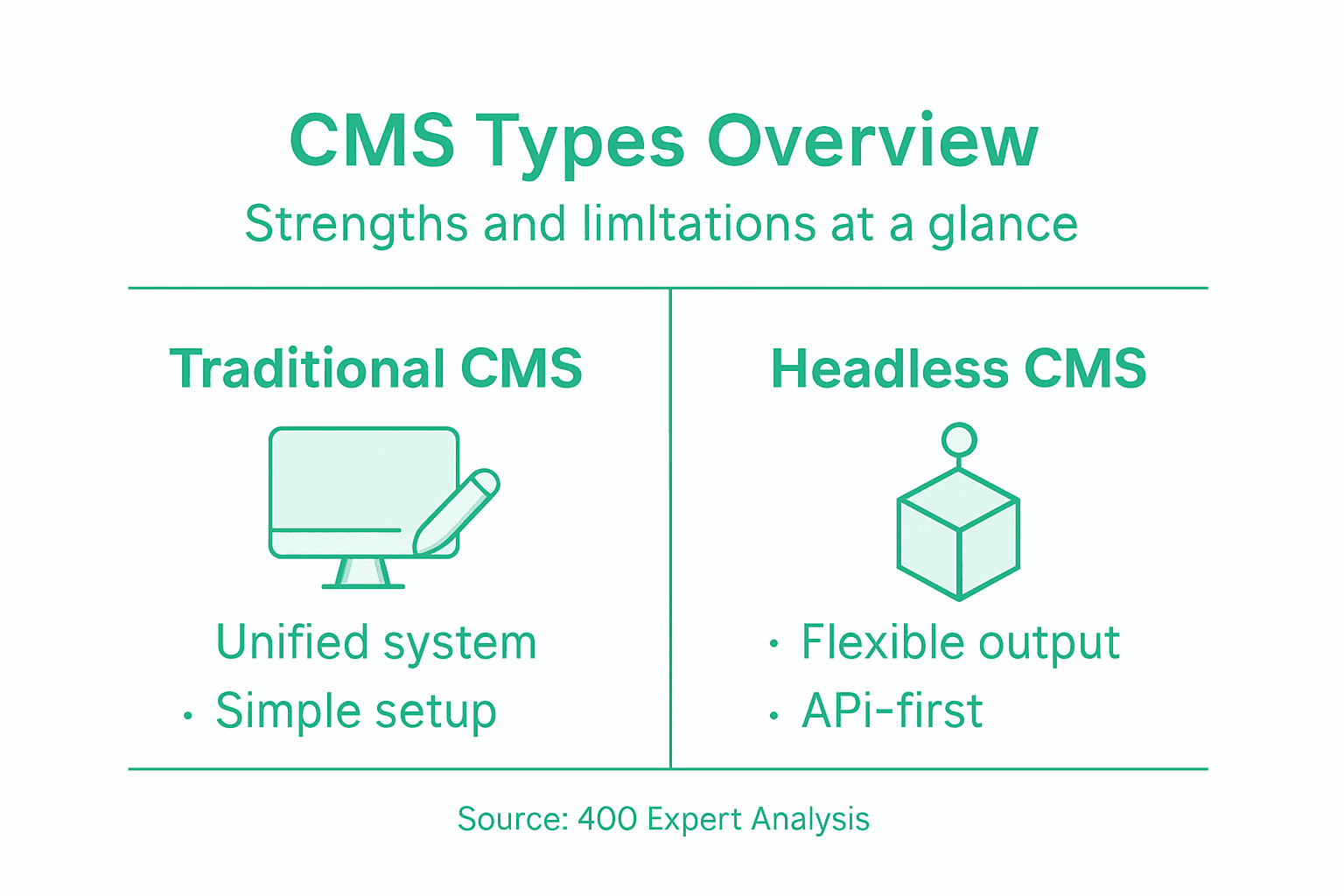
Traditional CMS: The All-in-One Approach
A traditional CMS bundles content management and presentation together in a single application. Your marketing team creates and publishes content through one interface, and the system handles both storage and how that content displays on your website.
Traditional CMSs work well for:
- Website-centric content publishing
- Teams with limited technical resources
- Organizations with straightforward content workflows
- Single-channel distribution (primarily websites)
The trade-off is flexibility. If you need to deliver content across mobile apps, digital signage, or marketing automation platforms, a traditional CMS forces you into workarounds or custom development.
Headless CMS: Content Everywhere
Headless CMS platforms decouple content storage from presentation layers, delivering content via APIs to multiple channels. Your content lives independently—your marketing team manages it once, then it flows wherever you need it.
Headless architecture enables:
- Omnichannel delivery — Same content to websites, apps, emails, and social platforms
- Developer flexibility — Frontend teams build custom experiences without CMS constraints
- Faster content velocity — Marketers publish without waiting for presentation-layer changes
- Scalability — API-first design handles high-traffic scenarios effortlessly
The complexity trade-off is real. Headless requires more technical coordination than traditional CMSs, making it better suited for organizations with development resources.
Headless CMS gives your marketing team independence from presentation constraints while keeping developers in control of the experience layer.
AI-Driven CMS: The Next Evolution
AI-driven CMS platforms leverage machine learning and automation to enhance both traditional and headless approaches. These systems intelligently streamline content creation, optimize SEO, personalize user experiences, and manage workflows automatically.
AI capabilities include:
- Automated content generation — Draft copy, meta descriptions, and variations at scale
- Intelligent tagging and organization — Systems categorize and structure content without manual effort
- SEO optimization — Real-time recommendations for keyword placement and content structure
- Dynamic personalization — Content adapts based on user behavior and preferences
- Workflow automation — Intelligent routing, approvals, and publishing schedules
This represents a significant shift. Your marketing team moves from managing content to directing content strategy while AI handles execution. The autonomy gains are substantial—less manual work, faster publishing, smarter decisions.
Which Architecture Fits Your Strategy?
Your choice depends on your current constraints and future ambitions. Starting with traditional? You can migrate to headless when your content needs grow. Already headless? Adding AI capabilities amplifies your marketing autonomy without architectural changes.
The reality: most enterprise organizations eventually need headless + AI capabilities to compete on content velocity and personalization at scale.
Pro tip: Map your current content channels (website, apps, email, social, etc.) and count how many require custom integrations to your CMS—that number reveals whether you’ve outgrown traditional architecture.
Here’s how traditional, headless, and AI-driven CMS architectures compare:
| CMS Type | Key Strength | Best Use Case | Limitation |
|---|---|---|---|
| Traditional | All-in-one simplicity | Website-centric publishing | Limited multichannel reach |
| Headless | Omnichannel flexibility | Multi-platform content sharing | Requires more developer input |
| AI-Driven | Intelligent automation | High-velocity, personalized content | Higher cost and complexity |
Essential Features for Marketing Autonomy
Not every CMS feature matters equally to your marketing team’s independence. Some features unlock autonomy directly; others support it indirectly. The key is identifying which ones address your specific bottlenecks and friction points.
Intuitive Content Creation Without Technical Skills
Your marketing team should create and publish content without requesting developer assistance. This requires a user-friendly interface that non-technical users can navigate confidently. Look for block-based editors, drag-and-drop builders, and visual previews rather than code-based content models.
Intuitive content creation interfaces enable non-technical users to edit and publish on demand, removing the dependency on developers for routine publishing tasks. This is the foundation of marketing autonomy—speed comes directly from reducing handoff delays.
Key capabilities:
- Visual content builders (no coding required)
- Real-time preview functionality
- Simple media management and asset organization
- One-click publishing across channels
- Built-in SEO guidance during creation
Centralized Content Management and Governance
When content lives scattered across systems, confusion and inconsistency follow. Centralized management gives your team one source of truth while maintaining brand consistency across channels.
Centralized content management reduces silos and facilitates content reuse, enabling teams to leverage existing assets instead of recreating them. This efficiency multiplies across campaigns and regions.
What centralization enables:
- Single repository for all content assets
- Consistent branding guidelines enforced at the system level
- Content reuse across campaigns and channels
- Clear ownership and version control
- Audit trails for compliance and governance
Centralized content management isn’t about control—it’s about efficiency. Your team moves faster when everyone works from the same source.
Workflow Automation and Approval Processes
Manual approvals create delays. Automated workflows route content through the right people at the right time without manual intervention. Your team publishes faster; your stakeholders retain oversight.
Automation reduces bottlenecks by:
- Routing content to designated approvers automatically
- Setting deadlines and escalation paths
- Triggering notifications and reminders
- Creating approval audit trails for compliance
- Enabling conditional routing (different paths for different content types)
The result: content moves from draft to published in hours instead of days.
Personalization and Advanced Targeting
Personalization capabilities let your team adapt messaging to different audiences without creating hundreds of manual variations. Dynamic content adjusts based on user behavior, preferences, or demographics automatically.
This amplifies marketing autonomy because:
- Teams test messaging variations at scale
- Content adapts in real-time to user segments
- No development work required for personalization changes
- Analytics show which variations perform best
Integration with Your Existing Stack
Your CMS shouldn’t exist in isolation. Integration capabilities with CRMs and analytics enable your team to act on data without handoffs to developers. Content decisions should connect directly to lead scoring, customer journeys, and performance metrics.
Essential integrations:
- CRM platforms (HubSpot, Salesforce, Marketo)
- Analytics tools (Google Analytics, Mixpanel)
- Email marketing platforms
- Advertising networks
- Automation tools (Zapier, Make)
Pro tip: Before selecting a CMS, audit your current martech stack and verify that the platform offers native integrations or robust APIs for your top 5 tools—this prevents custom development work that undermines autonomy.
Enterprise Security and Governance Implications
Marketing autonomy and enterprise security aren’t competing priorities—they’re interdependent. A CMS that empowers marketers without proper governance creates risk. One that locks down security without enabling autonomy defeats the purpose. The balance requires intentional architecture.
The Governance Framework: Risk, Compliance, and Accountability
Enterprise CMS governance integrates risk management, compliance, and clear accountability to protect digital assets and ensure regulatory adherence. This isn’t bureaucracy—it’s the infrastructure that lets your marketing team operate at scale without creating exposure.
Governance frameworks address:
- Role-based access controls — Who can create, edit, approve, and publish content
- Audit trails — Complete records of all content changes and approvals
- Compliance requirements — GDPR, HIPAA, SOC 2, or industry-specific regulations
- Data protection — Encryption, secure authentication, and access logging
- Disaster recovery — Backup and restoration procedures
Governance isn’t about restricting marketers—it’s about protecting the organization so marketers can move freely.
Role-Based Access Controls and Secure Workflows
Role-based access controls and secure publishing workflows prevent unauthorized content changes and data breaches. Different team members need different permissions based on their responsibilities.
A typical role structure includes:
- Authors — Create and submit content for review
- Editors — Review, revise, and approve submissions
- Publishers — Final approval and publication
- Administrators — System configuration and user management
- Viewers — Read-only access to content libraries
This separation prevents accidental or malicious changes while enabling workflow efficiency. A marketing coordinator can’t accidentally publish unreviewed content; an executive can’t bypass compliance requirements.
Compliance and Regulatory Requirements
Your CMS must support the regulations your organization faces. This varies significantly by industry and geography.
Common compliance needs:
- Data residency — Content stored in specific geographic regions
- Audit logging — Detailed records of all system access and changes
- Encryption in transit and at rest — Data protected during transmission and storage
- User authentication — Multi-factor authentication and single sign-on integration
- Retention policies — Automatic deletion of content after specified periods
Non-compliance carries real costs: regulatory fines, reputational damage, and operational disruption.
Monitoring and Continuous Evaluation
Continuous evaluation and monitoring reduce cyber threats and strengthen your organization’s security posture. Security isn’t static—threats evolve, and your CMS response must adapt.
Effective monitoring includes:
- Regular security audits and penetration testing
- Vulnerability scanning and patch management
- User activity monitoring and anomaly detection
- Performance and uptime monitoring
- Disaster recovery testing
Balancing Autonomy with Control
The tension is real: too much control stifles autonomy; too little creates risk. The resolution is governance design that scales with your team. As your marketing operation grows across regions and teams, governance frameworks prevent silos and ensure consistent compliance.
Your IT team retains oversight through monitoring and controls. Your marketing team gains autonomy through clear permissions and automated workflows. Both goals support each other.
Pro tip: Document your current compliance requirements and map them to CMS features before evaluating platforms—this prevents costly post-purchase discoveries that custom development can’t solve.
Comparing CMS Platforms for Large Organizations
Not one CMS fits every organization perfectly. Large tech firms typically have diverse content needs across regions, teams, and channels. The right platform depends on your current constraints, growth trajectory, and technical capabilities.
Open-Source Platforms: Customization and Community
WordPress and Drupal represent the open-source category. Both offer extensive customization options and large developer communities. You control the codebase entirely—nothing is locked away by a vendor.
Open-source advantages:
- Full customization — Modify any feature without vendor limitations
- Cost efficiency — No licensing fees; you pay for hosting and development
- Community support — Thousands of developers and plugins available
- Long-term flexibility — Your CMS evolves with your needs, not vendor roadmaps
- Vendor independence — No lock-in risk
The trade-off is operational complexity. You manage updates, security patches, and infrastructure scaling yourself. This requires development resources but gives you total control.
SaaS and Headless CMS: API-First Delivery
Leading CMS platforms like Contentful excel in API-first delivery and omnichannel integration. These platforms prioritize content distribution over presentation, making them ideal for organizations serving content across multiple channels.
Headless CMS strengths:
- Omnichannel delivery — Single content source for websites, apps, and digital experiences
- Developer flexibility — Frontend teams build custom experiences independently
- Managed infrastructure — Vendor handles scaling, security, and uptime
- Rapid deployment — Launch experiences without backend dependencies
- Future-proof architecture — Adapt to new channels without CMS changes
The cost model differs: SaaS platforms charge subscription fees based on usage or team size. There’s less customization than open-source but more speed to market.
The major CMS platform categories offer distinct advantages:
| Platform Type | Customization Level | Infrastructure Management | Community Support |
|---|---|---|---|
| Open-Source | Maximum—full code access | Self-managed by organization | Extensive, global |
| SaaS/Headless | Moderate—API-based | Vendor-managed | Growing and vendor-supported |
Large organizations rarely choose just one approach—they deploy multiple CMS types to address different content needs across regions and channels.
Platform Comparison Framework
When evaluating options, assess these dimensions:
Usability: Can your marketing team publish without developer assistance?
Scalability: Will the platform handle your traffic growth and global expansion?
Extensibility: How easily can you integrate with your martech stack?
Security: Does it meet your compliance and governance requirements?
Ecosystem: How robust is the community, marketplace, and support options?
The Multi-CMS Reality
Large organizations often deploy multiple platforms simultaneously. Your main website might run on WordPress for content autonomy. Your e-commerce platform uses Shopify. Your mobile apps pull from a headless API. This isn’t complexity—it’s specialization. Each tool handles what it does best.
The key is integration architecture. Your platforms must communicate seamlessly through APIs. Your governance framework applies consistently across all systems. Your teams understand which tool solves which problem.
Making Your Decision
Start with your current bottlenecks. If developers spend 40% of time on publishing tasks, autonomy is your priority—consider WordPress. If you need to deliver content across 12 different channels, API-first architecture matters—consider headless. If you want vendor-managed infrastructure without customization concerns, SaaS wins.
Your answer likely involves multiple platforms working together.
Pro tip: Before evaluating any platform, document your top 10 integrations, compliance requirements, and expected content volume—this objective data prevents emotional decisions and vendor hype from driving your choice.
Empower Marketing Autonomy with Enterprise WordPress Solutions
The article highlights a common challenge faced by medium and large organizations Your marketing teams often struggle with developer dependency that slows down content velocity and campaign launches. You need a scalable CMS that balances marketing autonomy with enterprise-grade governance and security. Concepts like intuitive content creation workflows, centralized management, and workflow automation are key to empowering marketers while keeping IT in control of compliance and performance.
At 40Q we address these exact pain points by building enterprise-grade WordPress platforms designed for marketing autonomy and operational control. Our proprietary FAS Block System™ layers on WordPress to give your marketing team rapid self-service publishing ability for landing pages campaigns and localized content without waiting on developers. Meanwhile IT teams retain full authority over security scalability and governance to protect your brand and data.
This solution is perfect for high-traffic content-heavy organizations that demand speed to market with no compromises on reliability or compliance. Explore how our expertise as a WordPress VIP partner transforms publishing into a true competitive advantage for your digital strategy at 40Q and discover our proven approach to AI-assisted content workflows and enterprise security.
Ready to break the developer bottleneck and empower your marketing team today
Visit 40Q to learn how we create WordPress platforms that put marketing autonomy and enterprise control at the heart of your digital content strategy. Don’t let slow publishing hold your business back act now to speed your time to market with trusted enterprise solutions.
Frequently Asked Questions
Recommended

Aug 23, 2025
WordPress
How the Model Context Protocol (MCP) Will Transform Martech and WordPress

Mar 2, 2026
WordPress
Best 6 Website Security Tools 2026

Apr 6, 2026
WordPress