
WordPress
Web Accessibility: Why It Matters for Enterprises

José Debuchy
February 22, 2026 | 3 min to read
Missing accessibility features can make digital platforms frustrating or even impossible for millions to use. For leaders at global enterprises, ensuring web accessibility isn’t just about legal compliance—it’s about building products that deliver equal opportunity for all users, regardless of ability or circumstance. This article lays out a practical foundation for web accessibility, from key standards like WCAG to strategies that strengthen both compliance and user experience across American, Canadian, European, and international markets.
Key Takeaways
| Point | Details |
|---|---|
| Web Accessibility is Essential | Ensuring web accessibility is not just about compliance; it’s a smart business strategy that benefits all users. |
| Broader Audience Reach | Accessibility opens your platform to diverse user groups, including those with disabilities, aging users, and mobile audiences. |
| Compliance Reduces Risks | Adhering to accessibility standards mitigates legal risks and enhances brand reputation by demonstrating commitment to inclusion. |
| Improves User Experience for All | Accessible design enhances overall usability, benefiting everyone and leading to higher engagement and satisfaction. |
Defining Web Accessibility and Its Purpose
Web accessibility means creating digital products that work for everyone, regardless of ability. It’s about removing barriers that prevent people from accessing, understanding, and interacting with your website or application.

At its core, web accessibility ensures websites and tools function for people with sensory, cognitive, physical, and neurological disabilities. But accessibility reaches far beyond compliance. It serves users on mobile devices, those with slow internet connections, and anyone facing temporary limitations.
For enterprise leaders, accessibility isn’t optional. It’s a business imperative.
Who Accessibility Benefits
Accessibility creates value for multiple audiences:
- People with disabilities gain equal access to information, services, and opportunities
- Aging users navigate interfaces more easily as vision and motor control change
- Mobile users benefit from better touch targets and clearer navigation
- International audiences find simplified language and clear structure easier to understand
- Users in noisy environments rely on captions and visual alternatives to audio
The math is straightforward. Over 1 billion people worldwide live with disabilities. Another 2+ billion use mobile devices as their primary internet access. Accessibility expands your addressable market while improving usability for all visitors.
Your website should work for everyone. That’s not just ethical—it’s smart business strategy.
The Purpose Beyond Compliance
While legal requirements matter, accessibility delivers tangible organizational benefits:
- Improved SEO performance because search engines favor accessible markup and clear structure
- Higher conversion rates when users navigate with less friction
- Reduced support costs when interfaces work intuitively for diverse users
- Better brand reputation by demonstrating commitment to inclusion
- Expanded audience reach to previously excluded customer segments
Accessibility aligns with web maintainability principles, creating cleaner code that your teams can update and scale without constant developer dependency. Accessible patterns are often the most maintainable patterns.
Many enterprises discover that accessible design practices simultaneously improve overall user experience. Captions help everyone in loud spaces. Clear labels assist both screen reader users and rushed executives scanning forms. High contrast text benefits users with vision challenges and anyone viewing on bright outdoor screens.
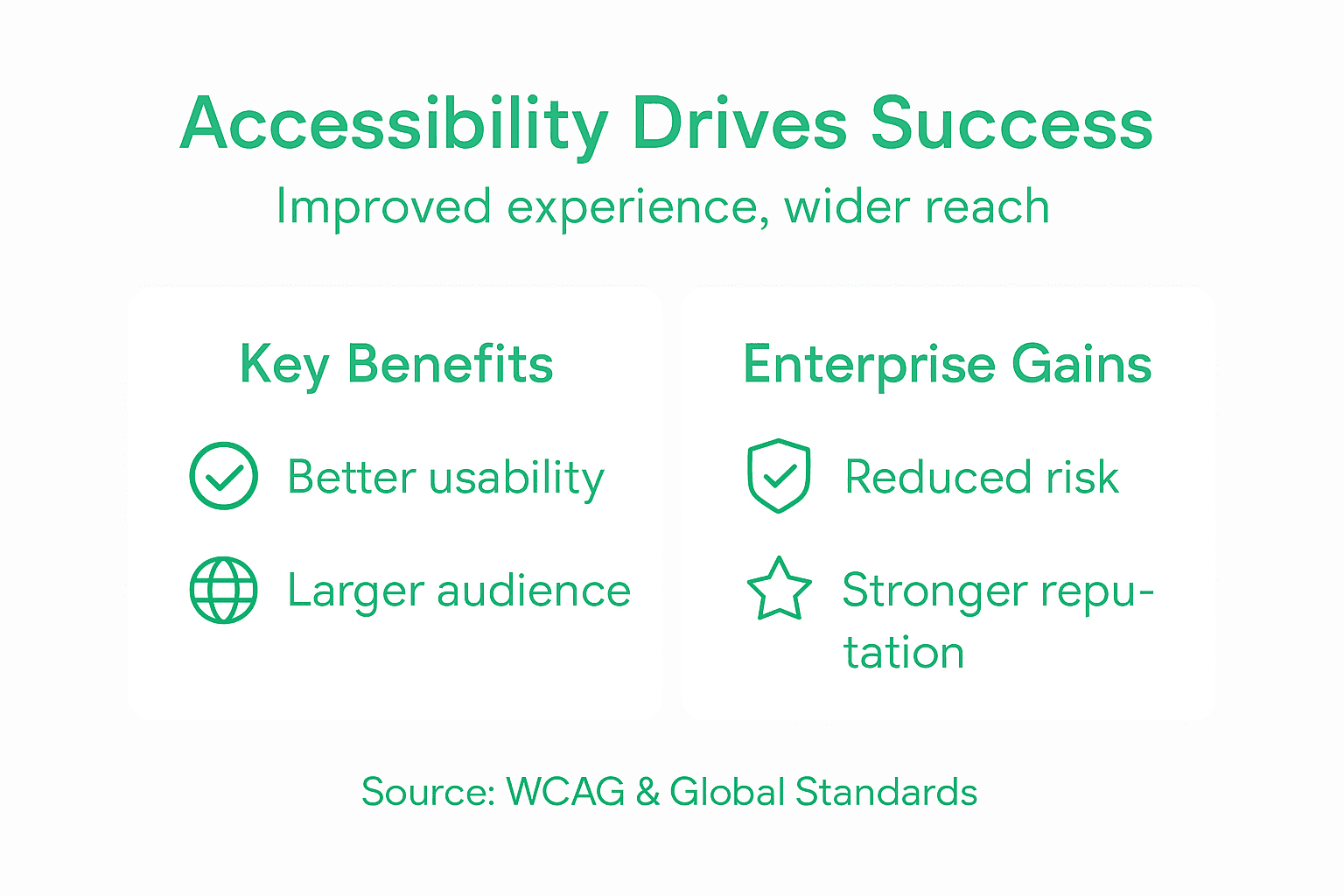
Accessibility isn’t a separate feature you bolt on. It’s foundational architecture that strengthens your entire platform.
Pro tip: Start with your most-trafficked pages. Audit them for accessibility barriers, then use what you learn to create standards for new content, creating scalable improvements across your digital properties.
Key Standards and Types of Accessibility
Accessibility standards give your teams a clear roadmap. They eliminate guesswork and provide measurable targets for compliance and usability improvements.
The most widely adopted standard is the Web Content Accessibility Guidelines (WCAG). This international standard, maintained by the W3C, has become the baseline expectation for enterprise digital properties.
Understanding WCAG
WCAG standards organize around four core principles:
- Perceivable – Users can see, hear, or sense content through some means
- Operable – Users can navigate and interact using keyboard, touch, voice, or other methods
- Understandable – Users comprehend the content and how to use the interface
- Robust – Content works across browsers, devices, assistive technologies, and future platforms
These principles are often remembered as POUR. They’re not technical jargon—they’re fundamental usability goals.
Compliance Levels Explained
WCAG uses three success levels. Most enterprises target Level AA as the standard:
- Level A – Basic accessibility for the broadest audience. The minimum acceptable baseline.
- Level AA – Enhanced accessibility addressing most common barriers. Industry standard for most organizations.
- Level AAA – Maximum accessibility for specialized contexts. Typically pursued for specific pages or industries.
Level AA compliance typically requires fixing issues like poor color contrast, missing image descriptions, keyboard navigation problems, and unclear form labels.
Here’s how WCAG compliance levels compare:
| Level | Description | Typical Use Case |
|---|---|---|
| A | Basic accessibility, minimum standard | Small businesses, initial compliance |
| AA | Addresses most common barriers | Enterprises, public sector websites |
| AAA | Highest accessibility standard | Specialized sites, government portals |
Most enterprises aim for Level AA because it balances accessibility impact with implementation effort.
Types of Disabilities Addressed
Web accessibility encompasses diverse disability types, each requiring different considerations:
- Visual disabilities – Blindness, low vision, color blindness (require alt text, high contrast, screen reader compatibility)
- Auditory disabilities – Deafness, hearing loss (require captions, transcripts, visual indicators)
- Physical disabilities – Limited mobility, tremors, inability to use a mouse (require keyboard navigation, large targets)
- Cognitive disabilities – Dyslexia, attention disorders, intellectual disabilities (require clear language, predictable navigation)
- Neurological disabilities – Seizure disorders, migraines triggered by flashing (require safe animations)
- Speech disabilities – Voice control users need interfaces that accept voice input reliably
Your digital platform likely serves users across all these categories. Standards ensure no one is accidentally excluded.
Pro tip: Map your organization’s compliance level to business risk and user base. Document your target level (typically AA) in governance standards so all teams build to the same expectations from day one.
Legal Frameworks and Global Requirements
Accessibility isn’t just good practice anymore. It’s the law in most major markets where your enterprise operates. Ignoring legal requirements exposes your organization to litigation, regulatory fines, and reputational damage.
Multiple jurisdictions have enacted accessibility legislation. Each references international standards like WCAG, but compliance requirements vary by region, industry, and organization size.
United States Requirements
The Americans with Disabilities Act (ADA) requires state and local governments and public-facing businesses to remove digital barriers. ADA web guidance clarifies that websites must be accessible to people with disabilities, similar to physical accessibility requirements.
Specific barriers the ADA targets include:
- Missing or poor color contrast that prevents text readability
- Inaccessible forms without proper labels and keyboard support
- Reliance on color alone to convey critical information
- Lack of alt text for images and video
- Broken keyboard navigation
The Department of Justice references WCAG standards in enforcement guidance. Most successful ADA settlements have followed WCAG 2.1 Level AA compliance.
European Standards
The European Accessibility Act requires accessibility compliance across European Union member states. Public sector organizations face stricter timelines than private enterprises, but the expectation applies to both.
Many European countries have pre-existing accessibility laws that are even stricter than the EU directive. Germany, France, and the United Kingdom all have specific requirements.
Accessibility legislation is expanding globally. Your compliance strategy must account for every market where you operate.
Global Landscape
Accessibility mandates exist worldwide. Web accessibility policies across countries often:
- Require WCAG compliance at specific conformance levels (usually AA or AAA)
- Apply to both public and private sector organizations
- Include procurement rules mandating accessible vendors
- Impose non-discrimination policies covering digital services
- Establish timelines for compliance with penalties for violations
Canada, Australia, Japan, and emerging markets all have established frameworks. If you serve international audiences, you’re likely subject to multiple legal requirements simultaneously.
Practical Compliance Strategy
Enterprise leaders should map regulations by jurisdiction and organization type. Determine which standards apply to your business, then establish a single compliance baseline that satisfies the strictest requirements across all your operating regions.
Most enterprises adopt WCAG 2.1 Level AA as their global standard. This single target typically satisfies ADA, European Accessibility Act, and comparable regulations worldwide.
Pro tip: Document your legal compliance obligations by jurisdiction in a governance matrix, then assign a single WCAG compliance level that satisfies all requirements simultaneously—usually Level AA—to eliminate regional inconsistencies.
Enterprise Risks and Compliance Challenges
Accessibility compliance isn’t optional anymore. Many enterprises have discovered this through costly litigation. The risks are real, measurable, and growing.
ADA website compliance litigation has exploded over the past five years. Thousands of lawsuits target both large corporations and mid-sized businesses with inaccessible websites. Each case carries potential financial exposure, legal fees, and brand damage.
Litigation Risk Reality
ADA Title III lawsuits increasingly target businesses with digital barriers. Courts cite WCAG standards as best practice guidance when evaluating accessibility compliance.
Key risk factors include:
- Online-only businesses face particular scrutiny regarding accessibility obligations
- Lack of clear federal standards hasn’t stopped lawsuits—courts use industry guidance anyway
- Class action accessibility cases can affect thousands of customers simultaneously
- Settlements routinely include injunctive relief requiring complete platform rebuilds
Companies cannot rely on quick-fix overlays or accessibility widgets. Courts recognize these as inadequate solutions. Proper accessibility requires architectural changes to your platform.
Litigation is expensive. Compliance is cheaper. Plan accordingly.
Common Compliance Failures
Most accessibility violations fall into predictable categories. ADA compliance requires addressing these fundamental issues:
- Missing alternative text for images and graphics
- Improper heading structures that confuse screen reader users
- Keyboard navigation that breaks or fails completely
- Form fields without labels or clear instructions
- Interactive elements that lack proper ARIA labels
- Color-only indicators for critical information
These aren’t edge cases. They’re the most common barriers your users face daily. Fixing them is straightforward but requires intentional design and testing.
Below is a summary of common accessibility barriers and their impact on users:
| Barrier Type | Affected Users | User Challenge |
|---|---|---|
| Low color contrast | Low vision, color blindness | Text is difficult to read |
| Missing alt text | Screen reader users | Images lack meaning or context |
| Broken keyboard navigation | Motor disabilities | Cannot access all site content |
| Unlabeled form fields | All users, cognitive impairments | Hard to input correct info |
Implementation Costs and Complexity
Accessibility compliance demands time and resources. Your teams must conduct audits, implement fixes, establish ongoing testing, and maintain accessibility standards as platforms evolve.
Many enterprises underestimate effort required. A single platform rebuild might take 6-18 months depending on complexity and technical debt. Security considerations in platform architecture also impact accessibility implementation timelines.
Strategy Over Quick Fixes
Successful enterprises adopt comprehensive accessibility strategies rather than applying surface-level fixes. This means:
- Publishing accessibility statements demonstrating commitment
- Conducting formal accessibility audits by qualified evaluators
- Building accessibility into development workflows from day one
- Training teams on accessibility standards and best practices
- Establishing feedback mechanisms for users to report barriers
- Maintaining ongoing monitoring and improvement processes
Companies that treat accessibility as a governance issue rather than a technical problem reduce legal exposure while improving user experience for everyone.
Pro tip: Start accessibility audits on your highest-traffic pages first, prioritize fixes by user impact rather than effort, and establish quarterly accessibility reviews to catch new barriers as your platform evolves.
Improving User Experience Through Accessibility
Accessibility isn’t a constraint on user experience. It’s the foundation for better user experience. When you design accessibly, everyone benefits.
Counterlogic, right? Actually no. Accessible design practices force you to make interfaces clearer, simpler, and more intuitive. These same improvements help users without disabilities navigate faster and accomplish goals more efficiently.
Universal Benefits of Accessible Design
Accessibility improves usability for everyone by making digital products effective, efficient, and satisfying to use. The overlap is substantial. Practices designed for people with disabilities create better experiences across entire user populations.
Consider practical examples:
- Captions help deaf users and anyone in a noisy environment or silent workspace
- High contrast text aids users with low vision and anyone viewing screens in bright sunlight
- Clear labels assist screen reader users and rushed users scanning forms quickly
- Keyboard navigation supports motor control limitations and power users avoiding mice
- Readable fonts help users with dyslexia and improve comprehension for all readers
These aren’t accommodations bolted onto your design. They’re fundamental improvements that raise the baseline for everyone.
Accessible design is good design. Period.
Design Principles for All Users
Accessible design aligns with proven design principles that improve usability universally. This means focusing on legibility, color perception flexibility, and device independence.
Specific strategies include:
- Using readable fonts with adequate sizing and spacing
- Managing animations carefully to avoid triggering seizures or motion sickness
- Reducing visual clutter and unnecessary distractions
- Providing color-independent ways to convey information
- Supporting magnification without breaking layouts
- Enabling keyboard access without reliance on precise mouse control
These practices create flexible interfaces that adapt to different contexts and user needs.
Beyond Compliance to Competitive Advantage
Companies treating accessibility as a user experience priority gain measurable advantages. Accessible platforms convert visitors more effectively because fewer barriers exist to task completion.
Users spend less time struggling with navigation, forms, and content comprehension. They accomplish goals faster. They return more often. Search engines favor accessible markup and clear structure, improving discoverability.
Accessibility also signals organizational values. Users with disabilities represent over 1 billion people globally, plus their families and advocates. Demonstrating genuine commitment to accessibility builds brand loyalty among audiences that corporate marketing often overlooks.
Writing clean, maintainable code supports long-term accessibility because accessible markup is semantic markup that scales as your platform grows.
Pro tip: Test your platform with real assistive technology and real users with disabilities, not just automated scanners—they’ll reveal friction points your team never anticipated.
Empower Your Enterprise with Accessible and Maintainable WordPress Solutions
The challenge of achieving comprehensive web accessibility compliance while maintaining performance and governance can be overwhelming. This article highlights critical issues like meeting WCAG Level AA standards, avoiding costly ADA litigation, and improving user experience for all audiences. At 40Q, we understand these pain points and help medium and large organizations build enterprise-grade WordPress platforms that prioritize accessibility, security, and long-term maintainability.
Take control of your digital presence with our proprietary FAS Block System™ that eliminates developer dependency and empowers marketing teams to launch compliant, high-impact campaigns quickly. Explore how 40Q’s scalable platforms align with global accessibility mandates and enhance usability for diverse users by visiting our landing page. Start your journey to faster time to market and full regulatory compliance now at 40Q.
Learn more about how accessible design principles intersect with maintainable code and enterprise success at 40Q’s website. Join us to transform your platform into an inclusive, high-performance digital experience that safeguards your brand and broadens your audience reach.
Frequently Asked Questions
Recommended
Aug 28, 2025
WordPress
MCP Made Simple: A Beginner’s Guide for Marketers and WordPress Teams

Mar 30, 2026
WordPress
Enterprise WordPress Content Scalability: 7 Proven Tips

Mar 14, 2026
WordPress