WordPress
Website Performance Optimization Guide for WordPress Teams

José Debuchy
February 18, 2026 | 3 min to read
Managing a high-traffic WordPress site in a demanding global market brings unique challenges. Marketing operations leaders must balance speed, reliability, and security without disrupting everyday workflows or risking site stability. By focusing on precise performance bottleneck identification and smart enhancement tactics, you create the groundwork needed for superior site responsiveness, improved user experience, and scalable growth across diverse regions.
Quick Summary
| Key Point | Explanation |
|---|---|
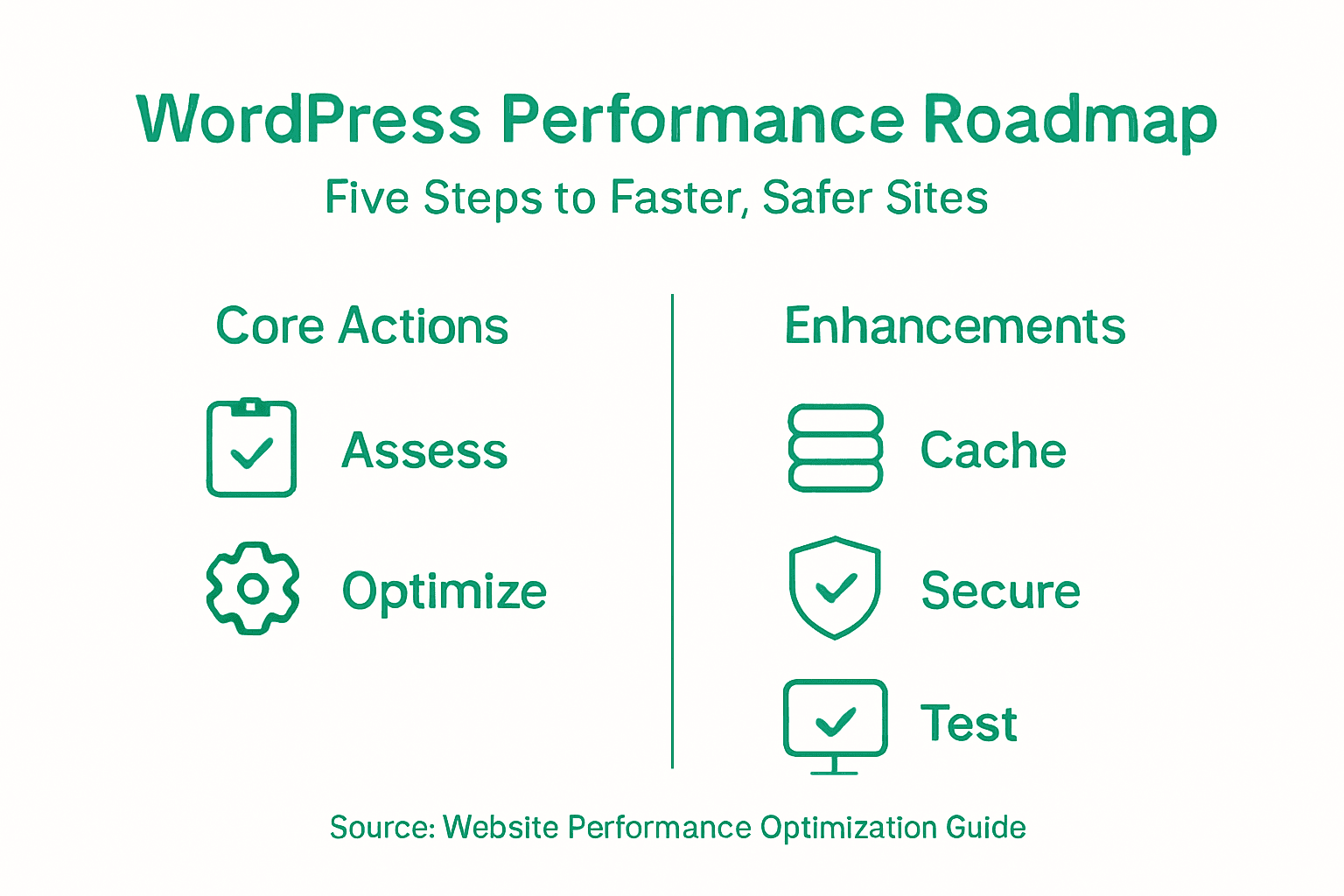
| 1. Identify Performance Issues | Use performance monitoring tools to find bottlenecks affecting site speed and efficiency. |
| 2. Implement Multi-Layer Caching | Optimize caching strategies to enhance content delivery by reducing server response times. |
| 3. Optimize Images and Content | Prioritize image compression and format selection to improve load times while maintaining quality. |
| 4. Strengthen Site Security | Establish comprehensive cybersecurity measures to protect your site, especially under heavy traffic. |
| 5. Conduct Regular Performance Tests | Use various testing tools to regularly check site performance metrics and address issues proactively. |
Step 1: Assess Current Site Performance and Bottlenecks
Identifying your WordPress site’s performance bottlenecks is the foundational step toward creating a faster, more responsive digital platform. By systematically evaluating your current infrastructure, you can pinpoint precise areas requiring optimization.
To effectively diagnose performance issues, start by using comprehensive performance monitoring tools that analyze multiple critical components. These tools help you understand how software configurations, network conditions, and hardware interact to impact site speed. Key metrics to examine include:
- Time to First Byte (TTFB) measuring server responsiveness
- Largest Contentful Paint (LCP) tracking content loading speed
- Cumulative Layout Shift (CLS) evaluating visual stability
Your assessment should investigate common WordPress bottlenecks such as inefficient plugins, database query performance, and excessive frontend asset loading. Utilize diagnostic tools like Query Monitor to trace specific performance drains and generate detailed insights into your site’s operational efficiency.

To better understand WordPress bottlenecks, here’s a feature-impact summary table:
| Bottleneck Feature | Typical Cause | Impact on Site |
|---|---|---|
| Inefficient plugin usage | Poorly coded extensions | Slower load and response |
| Database query performance | Unoptimized queries | Delays in content loading |
| Excessive frontend assets | Large or unminified files | Longer page render times |
Performance optimization is not about perfection, but continuous incremental improvement.
Pro tip: Run performance tests during peak traffic periods to get the most realistic assessment of your site’s true capabilities.
Step 2: Implement Core Speed and Caching Enhancements
Accelerating your WordPress site’s performance requires strategic implementation of advanced caching techniques that reduce server processing time and improve content delivery speed. By optimizing your caching infrastructure, you can dramatically enhance user experience and site responsiveness.
Start by implementing multi-layer caching strategies that target different system levels:
- Page caching to store complete HTML versions of pages
- Object caching to reduce database query redundancy
- Browser caching to minimize repeat content downloads
Choose a robust caching plugin that supports these layers comprehensively. Look for solutions that automatically handle complex caching configurations without requiring extensive technical expertise. Your goal is creating a seamless caching environment that intelligently manages static and dynamic content without compromising site functionality.
Effective caching is the cornerstone of WordPress performance optimization.
Pro tip: Test your caching configuration under simulated high-traffic conditions to ensure consistent performance before full deployment.
Step 3: Optimize Images and Critical Content Assets
Maximizing your WordPress site’s performance requires a strategic approach to handling visual and critical content assets. Image optimization techniques play a crucial role in reducing page load times and improving user experience.
Implement these key optimization strategies:
- File format selection prioritizing WebP and AVIF formats
- Image compression without sacrificing visual quality
- Responsive sizing to match display requirements
- Metadata enhancement for SEO and accessibility
Utilize WordPress plugins or manual tools that automate image compression and conversion processes. Focus on balancing image quality with file size efficiency. Pay special attention to alt text and descriptive file names that support both search engine optimization and website accessibility.
Small optimizations create significant performance improvements.
Pro tip: Always keep original high-resolution images as backups before applying compression techniques.
Step 4: Strengthen Security for High-Traffic Environments
Protecting your WordPress site requires a comprehensive approach to cybersecurity, especially in high-traffic digital environments where potential vulnerabilities can expose your entire infrastructure. WordPress security strategies must be multi-layered and proactively designed to prevent and mitigate potential threats.
Implement these critical security measures:
- Web application firewall (WAF) configuration
- Two-factor authentication for all user accounts
- SSL certificate installation and enforcement
- Regular malware scanning and automated backup protocols
- Strong password policies with complex requirements
Focus on creating a security ecosystem that balances robust protection with user accessibility. This means selecting security plugins that offer comprehensive monitoring without creating unnecessary friction in user interactions. Regularly update your security configurations and conduct periodic vulnerability assessments to stay ahead of emerging digital threats.
Security is not a one-time event, but a continuous process of vigilance and adaptation.
Pro tip: Conduct quarterly security audits and simulate potential breach scenarios to identify and address potential vulnerabilities before they can be exploited.
Step 5: Validate Results with Performance Testing
Validating your WordPress site’s performance requires systematic testing using multiple diagnostic tools and benchmarking techniques. Performance testing tools provide critical insights into your site’s operational efficiency across different network conditions and user scenarios.
Utilize these comprehensive testing strategies:
- Google PageSpeed Insights for mobile and desktop analyses
- GTmetrix for combined performance metrics
- Pingdom for real-time speed tests
- WebPageTest to simulate network conditions
- Lighthouse for multi-dimensional performance audits
Track performance metrics consistently, paying close attention to Core Web Vitals and historical data trends. Each testing platform offers unique perspectives, so cross-referencing results helps build a more comprehensive understanding of your site’s performance profile.
Reviewing performance testing tools side-by-side reveals their strengths:
| Tool | Primary Focus | Notable Benefit |
|---|---|---|
| Google PageSpeed | Core Web Vitals, mobile | Actionable SEO guidance |
| GTmetrix | Combined metrics, visuals | User-friendly reporting |
| Pingdom | Real-time speed analysis | Geolocation tests |
| WebPageTest | Network simulation | Deep diagnostic options |
| Lighthouse | Multi-aspect audits | Holistic site evaluation |
Performance testing is not about achieving perfection, but continuous incremental improvement.
Pro tip: Schedule automated performance tests weekly and maintain a comparative log to detect subtle performance degradations before they become critical issues.
Unlock Enterprise-Grade WordPress Performance and Security Today
Managing a high-traffic WordPress site presents complex challenges like slow load times, caching hurdles, and security risks as covered in the “Website Performance Optimization Guide for WordPress Teams”. Your marketing and IT teams need seamless solutions to eliminate developer dependency, accelerate content publishing, and maintain enterprise-level security and scalability.
At 40Q, we address these pain points with our proprietary FAS Block System™ and robust platform architecture designed specifically for organizations demanding speed without sacrificing performance or governance. Experience multi-layer caching enhancements, automated image optimization, and continuous security monitoring tailored to your exact needs.

Ready to transform your WordPress infrastructure into a fast, secure, and autonomous marketing engine? Visit 40Q to explore how we empower teams to deliver campaigns swiftly while IT retains full control. Don’t wait for bottlenecks to slow you down. Discover our enterprise solutions now at https://40q.agency and learn more about our approach to performance optimization and security management.
Frequently Asked Questions
How can I assess my WordPress site’s current performance?
To assess your WordPress site’s current performance, use performance monitoring tools that evaluate key metrics like Time to First Byte and Largest Contentful Paint. Begin by running tests during peak traffic periods to identify bottlenecks, such as inefficient plugins and excessive frontend assets.
What caching strategies should I implement for my WordPress site?
Implement a multi-layer caching strategy that includes page caching, object caching, and browser caching. Choose a caching plugin that automates configurations, and test it under simulated high-traffic conditions to ensure effective performance improvements.
How can I optimize images for faster loading times?
To optimize images, prioritize modern formats such as WebP or AVIF, apply compression techniques without losing quality, and ensure responsive sizing for different devices. Use plugins or manual tools to automate these processes, aiming to reduce image load times by 30-50%.
What security measures should I take for my WordPress site?
Strengthen your site’s security by implementing a web application firewall, two-factor authentication, and regular malware scanning. Ensure to install an SSL certificate and enforce strong password policies to create a robust security ecosystem for high-traffic environments.
How can I validate the performance improvements on my WordPress site?
To validate performance improvements, use a variety of testing tools to analyze Core Web Vitals and other performance metrics consistently. Schedule automated tests weekly and maintain a log to track historical data trends and detect any performance issues early.
Recommended

Mar 28, 2026
WordPress
WordPress governance best practices for enterprise teams
Jan 26, 2026
WordPress
7 Digital Experience Best Practices for Enterprise Leaders

Mar 20, 2026
WordPress