
WordPress
Scalable WordPress Setup Guide for Enterprise Success

José Debuchy
February 5, 2026 | 3 min to read
For every Marketing Director striving to balance rapid content rollout with strict governance, the path to a robust WordPress enterprise setup can feel challenging. Alignment between technology, team autonomy, and organizational control is often strained without a clear governance model. With over 90 percent of enterprises committed to WordPress for its extensibility and security, you will discover why strategic assessment, hosting design, security controls, and Full Site Editing features are central to building a resilient platform for your technology-driven marketing initiatives.
Quick Summary
| Key Point | Explanation |
|---|---|
| 1. Assess Governance Requirements | Clearly define roles and workflows to maintain content quality and organizational control over digital assets. |
| 2. Choose Advanced Hosting Solutions | Implement top-tier hosting architectures that provide scalability, reliability, and performance tailored to enterprise needs. |
| 3. Establish Robust Security Measures | Create a layered security strategy to protect data integrity and comply with industry regulations effectively. |
| 4. Deploy FAS Block System | Facilitate rapid content creation for marketing teams by implementing a flexible block-based architecture with user permissions. |
| 5. Conduct Comprehensive Testing | Validate the platform’s performance and user workflows under stress to ensure readiness for real-world scenarios. |
Step 1: Assess Business Needs and Define Governance
Building a scalable WordPress enterprise platform requires strategic assessment of your organization’s governance requirements and operational workflows. This step involves mapping out precise digital content management needs while establishing robust controls that align with your company’s operational models.
To effectively assess your business needs, start by conducting a comprehensive review of your current content management challenges. This means evaluating your existing publishing workflows, understanding user roles, and identifying potential bottlenecks. Enterprise WordPress governance frameworks demand meticulous planning across several key dimensions:
- Content Strategy: Define who creates, edits, and publishes content
- User Access Management: Establish precise role-based permissions
- Compliance Requirements: Outline industry-specific regulatory constraints
- Performance Metrics: Set measurable publishing and engagement targets
The goal is creating a governance model that balances marketing team autonomy with organizational control. Secure digital platforms require thoughtful role definitions that prevent unauthorized changes while enabling efficient content production.
Your governance framework should include documented processes for content creation, review, approval, and archival. This means creating clear pathways for content development that integrate seamlessly with your existing organizational structures and technological capabilities.
Effective WordPress enterprise governance transforms content management from a potential risk into a strategic organizational asset.
Pro tip: Conduct a pilot test of your proposed governance framework with a small, cross-functional team to identify potential implementation challenges before full-scale rollout.
Step 2: Choose Hosting and Architect WordPress Infrastructure
Selecting the right hosting infrastructure is critical for building a robust enterprise WordPress platform that can scale, perform, and adapt to your organizational needs. This step involves strategically designing a hosting architecture that supports complex digital content management requirements while ensuring reliability and performance.
Enterprise WordPress hosting demands a sophisticated approach beyond traditional shared hosting models. Enterprise hosting platforms utilize advanced N-tier architectures that distribute workloads across multiple server layers to optimize performance and security. When architecting your infrastructure, consider these essential components:
- Distributed Server Layers: Separate presentation, application, and database tiers
- Cloud-Based Elasticity: Enable dynamic scaling of resources
- Load Balancing: Distribute traffic across multiple server instances
- High Availability Configuration: Implement redundant systems
Your hosting strategy should align with specific enterprise requirements, including scalable WordPress hosting considerations that support high concurrency, workload balancing, and system flexibility. This means evaluating platforms that offer multisite compatibility, robust security protocols, and seamless continuous integration pipelines.
Enterprise WordPress infrastructure is not just about hosting – it’s about creating a resilient digital ecosystem that adapts to your organization’s evolving needs.
Pro tip: Conduct thorough performance testing and simulate peak traffic scenarios before finalizing your hosting architecture to identify potential bottlenecks and ensure optimal system responsiveness.

Step 3: Implement Security, Compliance, and Performance Controls
Enterprise WordPress platforms require a comprehensive approach to security, compliance, and performance management that goes far beyond basic website protection. This step focuses on establishing robust control mechanisms that safeguard your digital infrastructure while maintaining optimal operational efficiency.
Your security strategy should encompass multiple layers of protection, starting with fundamental access controls and extending to advanced threat mitigation. Enterprise WordPress security demands a holistic approach that includes:
- User Authentication: Implement multi-factor authentication
- Access Management: Create granular role-based permissions
- Network Protection: Configure advanced firewall rules
- Continuous Monitoring: Deploy real-time threat detection systems
- Compliance Tracking: Establish audit logs and reporting mechanisms
Performance optimization requires a proactive approach to resource management. This means implementing caching strategies, database optimization, and content delivery network (CDN) integration to ensure your WordPress platform can handle high-traffic enterprise workloads.
Security is not a product, but a comprehensive process of continuous assessment and improvement across your entire digital ecosystem.
Pro tip: Conduct quarterly comprehensive security audits and penetration testing to identify and address potential vulnerabilities before they can be exploited.
The following table outlines how governance, hosting, and security decisions impact enterprise WordPress outcomes:
| Area | What It Influences | Long-Term Value |
|---|---|---|
| Governance | Content quality and oversight | Consistent brand presence |
| Hosting Architecture | Uptime and traffic handling | Cost-effective scaling |
| Security Strategy | Data integrity and compliance | Regulatory peace of mind |
Step 4: Deploy the FAS Block System for Marketing Agility
The FAS Block System represents a transformative approach to enterprise WordPress content management, enabling marketing teams to rapidly create and customize digital experiences without constant developer intervention. This step focuses on implementing a flexible block-based architecture that dramatically accelerates content velocity and maintains brand consistency.
Full Site Editing capabilities empower non-technical users to customize layouts, templates, and content with unprecedented speed. When deploying the FAS Block System, consider these critical implementation strategies:
- Template Standardization: Create reusable block templates
- Role-Based Permissions: Define granular content creation access
- Brand Governance: Establish consistent design parameters
- Content Workflow: Design flexible publishing pathways
- Regional Customization: Enable localized content variations
Successful deployment requires careful configuration of block permissions, template libraries, and editorial controls. Your goal is creating a system that balances marketing team flexibility with organizational governance and brand integrity.
The FAS Block System transforms WordPress from a content management platform into a strategic marketing acceleration tool.
Pro tip: Conduct comprehensive training sessions for marketing teams, focusing on block system capabilities and best practices to maximize adoption and minimize potential misuse.
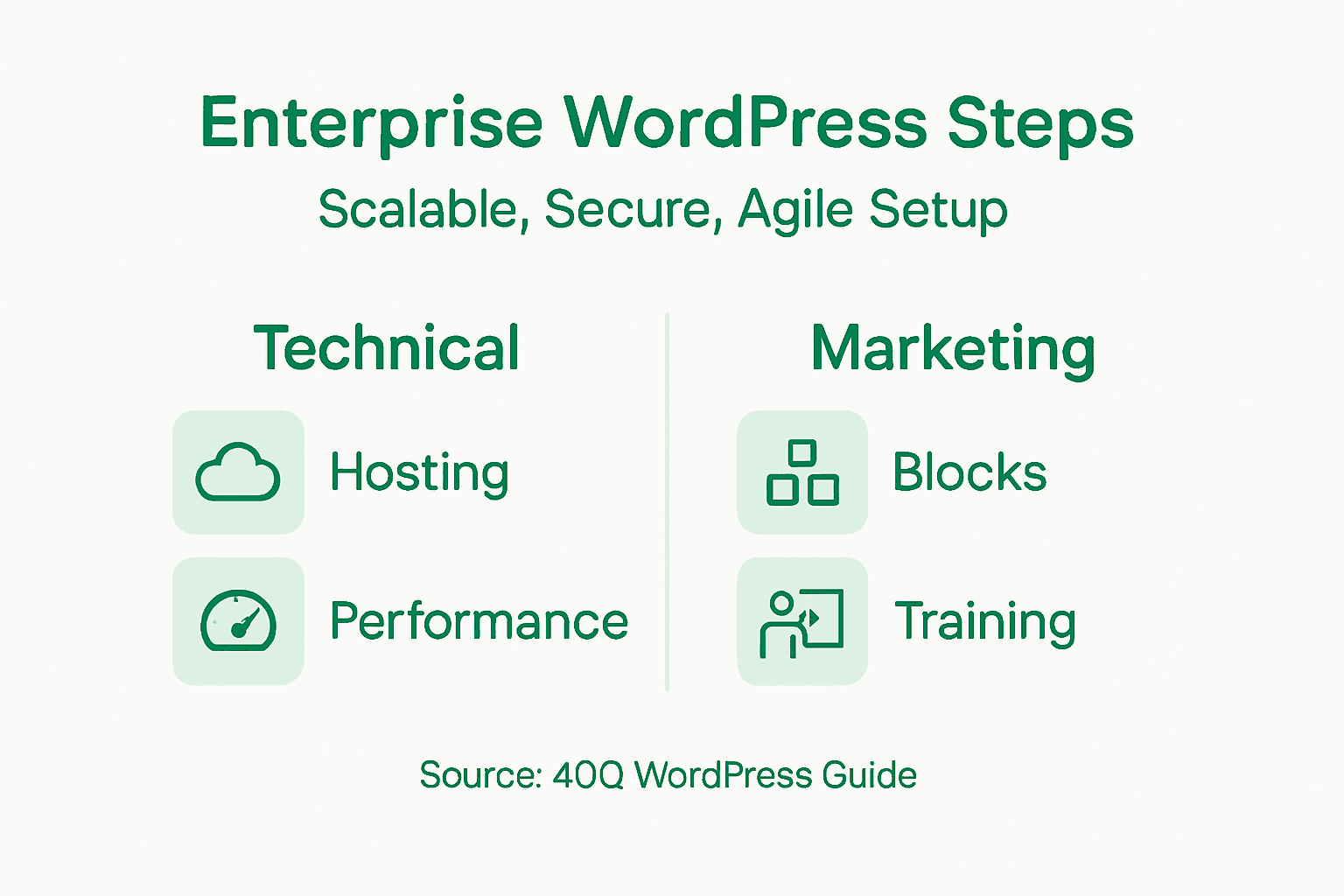
Step 5: Test Scalability and Validate User Workflows
Testing and validating your enterprise WordPress platform is a critical phase that ensures your infrastructure can handle real-world performance demands while maintaining seamless user experiences. This step focuses on comprehensive testing strategies that validate both technical performance and user interaction capabilities.
Your testing approach should encompass multiple dimensions of system performance and usability. Develop a structured testing methodology that evaluates system responsiveness, concurrent user handling, and content publishing workflows. Key testing dimensions include:
- Load Testing: Simulate high-traffic scenarios
- User Acceptance Testing: Validate marketing team workflows
- Performance Benchmarking: Measure response times and resource utilization
- Role-Based Access Validation: Test permission configurations
- Content Publishing Simulation: Check end-to-end publishing processes
The goal is creating a robust validation framework that stress-tests your WordPress platform under realistic enterprise conditions. This means developing comprehensive test scenarios that mimic actual organizational content management requirements and identify potential bottlenecks before they impact production environments.
Effective scalability testing transforms potential system vulnerabilities into opportunities for architectural refinement.
Pro tip: Create a dedicated staging environment that mirrors your production infrastructure, allowing you to conduct thorough testing without risking live system stability.
Here’s a high-level summary of each step in building an enterprise WordPress platform:
| Step | Primary Goal | Key Benefit |
|---|---|---|
| Assess Governance | Define roles and workflows | Minimized risk, improved alignment |
| Architect Hosting | Ensure scalability | Reliable, resilient infrastructure |
| Security Controls | Protect data and users | Reduced threat exposure |
| FAS Block System | Enable marketing agility | Faster content delivery |
| Test and Validate | Assure real-world readiness | Seamless, scalable operation |
Unlock Enterprise WordPress Success With Proven Scalability and Marketing Agility
The challenge of building a scalable and secure WordPress platform while empowering marketing teams to launch content rapidly is real. This article highlights key obstacles such as governance control, high-performance hosting architecture, and the need for marketing autonomy without sacrificing security or compliance. At 40Q, we understand how painful it can be to balance developer dependency with enterprise-grade demands like multi-layer security and content velocity.
Our proprietary FAS Block System™ transforms your WordPress platform into a true marketing acceleration engine. By combining enterprise security frameworks alongside seamless full site editing capabilities, we enable marketing teams to create landing pages, campaigns, and localized content quickly. All while IT retains full control over scalability, governance, and compliance. Discover how our WordPress VIP partnership and enterprise-grade hosting solutions build the reliable digital ecosystems you need to scale confidently.
Experience the difference by exploring our enterprise WordPress solutions and learn how to eliminate publishing bottlenecks. Take control of your platform’s future today by visiting 40Q’s landing page and start delivering marketing agility without compromise.
Are you ready to transform your WordPress infrastructure into a scalable, secure, and autonomous system that aligns perfectly with your enterprise goals?
Explore how 40Q can help you build an enterprise WordPress platform that meets your governance, security, and performance needs. Visit 40Q now to get started.
Frequently Asked Questions
Recommended

Nov 18, 2025
WordPress
Why Enterprises Are Ditching AEM in 2025
Jun 17, 2026
WordPress
Best WordPress Enterprise Agencies in 2026

Mar 5, 2026
WordPress