
WordPress
Enterprise website maintenance guide for marketing autonomy 2026

José Debuchy
March 7, 2026 | 3 min to read
Marketing teams lose an average of 40 hours per month waiting for developers to publish campaigns, update landing pages, or fix broken links. This dependency creates bottlenecks that slow go-to-market timelines and frustrate both marketing and IT leaders. Modern enterprise website maintenance solves these challenges by balancing security, performance, marketing autonomy, and compliance through strategic frameworks and no-code tools that empower teams to move fast without sacrificing control or reliability.
Key takeaways
| Point | Details |
|---|---|
| Enterprise maintenance improves security, performance, and marketing speed | Proactive strategies reduce downtime, accelerate campaigns, and strengthen compliance |
| No-code tools enable marketing autonomy | Campaign launch times drop by 70% when marketing teams control content independently |
| Automated monitoring reduces downtime and legal risks | Continuous backups and compliance audits ensure business continuity and regulatory adherence |
| Technical debt management lowers costs | Regular audits and governance policies prevent expensive legacy issues |
| Measurable outcomes guide success | Track uptime, page speed, and campaign velocity to verify maintenance effectiveness |
Prerequisites: preparation and tools needed
Before launching an effective enterprise website maintenance program, you need the right foundation in place. Success depends on having proper tools, clear organizational roles, and baseline measurements to guide improvements.
Start by securing access to an enterprise-grade CMS for marketing autonomy with no-code publishing capabilities and integrated security features. Implement security and performance monitoring software to track vulnerabilities, uptime, and page speed continuously. These tools provide the visibility necessary to identify issues before they impact users or revenue.
Define clear roles and collaboration processes between marketing and IT teams. Marketing should own content creation and campaign execution, while IT maintains infrastructure, security, and governance. This separation prevents bottlenecks while preserving control.
Conduct a baseline audit of security vulnerabilities, site performance metrics, and compliance status before starting any maintenance initiatives. This audit establishes benchmarks for measuring improvement and identifies urgent priorities. Access to enterprise-grade CMS with no-code marketing tools and security/performance monitoring software is essential for readiness.
Essential preparation checklist:
- Enterprise CMS platform with no-code content tools
- Security scanning and vulnerability management software
- Performance monitoring and real user analytics tools
- Defined marketing and IT roles with documented workflows
- Baseline audit data for security, performance, and compliance
| Audit Area | Key Metrics | Frequency |
|---|---|---|
| Security | Vulnerabilities, patch status, access logs | Daily automated |
| Performance | Page load times, Core Web Vitals, uptime | Continuous |
| Compliance | WCAG, GDPR, CCPA adherence | Quarterly |
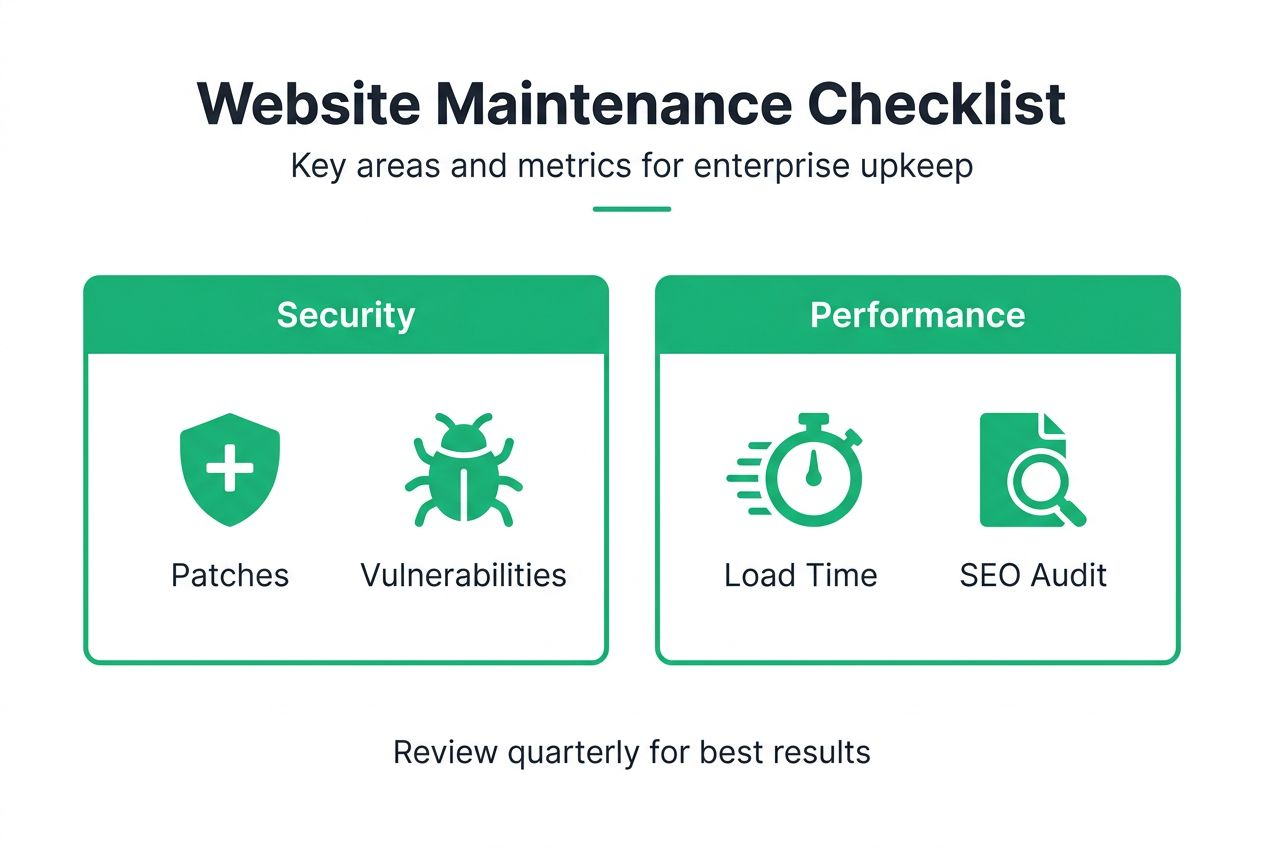
Pro Tip: Conduct baseline audits quarterly to maintain continuous readiness and catch emerging issues early. Regular reassessment prevents complacency and keeps your website maintainability metrics current.
Prioritize security & compliance: the non-negotiable foundation
Security and compliance form the backbone of enterprise website maintenance. Without a robust security-first approach, everything else becomes vulnerable to breaches, downtime, and legal penalties.
Implement daily automated vulnerability scanning to detect threats immediately. Pair this with a proactive patch management process that applies critical security updates within 24 hours of release. Continuous vulnerability scanning and patching reduce the average downtime cost of $9,000 per minute by proactively preventing security breaches.
Adopt Zero Trust security architecture to limit risk exposure from both internal and external threats. This approach assumes no user or system is trustworthy by default, requiring continuous verification for every access request. Zero Trust dramatically reduces the attack surface and contains potential breaches.
Conduct quarterly WCAG accessibility and GDPR/CCPA privacy compliance audits to avoid legal risks and ensure inclusive user experiences. Accessibility violations can trigger lawsuits, while privacy non-compliance results in massive fines. Regular audits keep you ahead of regulatory changes.
Security maintenance priorities:
- Schedule daily automated vulnerability scans and immediate patching for critical issues
- Implement Zero Trust architecture with role-based access controls and multi-factor authentication
- Review user access permissions monthly to remove unnecessary privileges
- Conduct quarterly compliance audits for accessibility, privacy, and industry regulations
- Maintain detailed security incident logs for audit trails and forensic analysis
Patch management must be proactive to avoid the over 30% of avoidable downtime incidents caused by delayed security updates. Create a maintenance window policy that allows rapid patching without disrupting business operations.
“Security is not a one-time project but a continuous discipline. Enterprise websites face constant threats, making daily vigilance and automated defenses essential for protecting business assets and customer trust.”
Follow enterprise website best practices by integrating security into every maintenance workflow. Security should never be an afterthought or separate initiative. For deeper guidance, review essential security tips for enterprises to strengthen your defense posture.
Optimize performance for speed and user experience
Performance directly impacts conversion rates, user satisfaction, and search rankings. Slow websites lose customers and revenue, making performance optimization a critical maintenance priority.
Target page load times under 3 seconds to maximize conversions. Performance optimization aiming for sub-3-second page load times increases user conversion rates and reduces bounce rates significantly. Every second of delay costs revenue and damages brand perception.
Utilize content delivery networks (CDNs) to serve assets from geographically distributed servers close to users. Implement aggressive caching strategies at multiple levels: browser, CDN, and server. Compress images using modern formats like WebP and AVIF to reduce file sizes without sacrificing quality.
Perform regular technical SEO audits to identify and fix broken links, missing metadata, and crawl errors. Broken links frustrate users and harm search visibility. Automated link checking tools should run weekly to catch issues quickly.
Employ real user monitoring (RUM) tools for continuous performance insights from actual user sessions. RUM data reveals performance problems that synthetic testing misses, showing how real users on real devices experience your site.
Performance optimization tactics:
- Implement CDN for global content delivery and reduced latency
- Enable browser and server-side caching with appropriate expiration policies
- Compress images and use modern formats (WebP, AVIF)
- Minify CSS, JavaScript, and HTML to reduce file sizes
- Lazy load images and videos to prioritize above-the-fold content
- Monitor Core Web Vitals (LCP, FID, CLS) continuously
| Performance Metric | Target | Impact |
|---|---|---|
| Page Load Time | < 3 seconds | Conversion rates increase 32% |
| Largest Contentful Paint | < 2.5 seconds | Search ranking factor |
| First Input Delay | < 100 milliseconds | User experience quality |
| Cumulative Layout Shift | < 0.1 | Visual stability score |
Pro Tip: Define and enforce performance budgets for each page type to maintain user experience standards. Performance budgets set maximum limits for page weight, request counts, and load times, preventing performance regression during development.
Use website performance monitoring tools to track metrics continuously and alert teams when thresholds are exceeded. For comprehensive optimization strategies, follow our enterprise WordPress optimization guide. Additional insights are available in this performance optimization guide.
Enable marketing autonomy with no-code tools
No-code content management platforms eliminate developer dependency for routine publishing tasks, empowering marketing teams to move at the speed of business opportunities.

Adopt no-code platforms like FAS Block System™ for content creation and campaign launches. These systems provide visual editors and pre-built components that marketing teams can assemble without touching code. The result is dramatically faster campaign deployment and reduced IT bottlenecks.
Campaign deployment timelines can shrink by up to 70% with marketing autonomy. When marketing controls publishing directly, campaigns launch in hours instead of weeks. This speed advantage creates competitive differentiation and captures time-sensitive opportunities.
Autonomous marketing reduces developer bottlenecks and improves operational agility. Developers focus on platform improvements and custom functionality instead of repetitive content tasks. This specialization increases overall team productivity and job satisfaction.
Integrate AI-assisted workflows to further streamline content production and approval. AI tools help generate draft content, optimize headlines, suggest images, and enforce brand guidelines automatically. This augmentation accelerates creation while maintaining quality.
Marketing autonomy implementation steps:
- Deploy an enterprise-grade CMS marketing autonomy platform with visual editing
- Train marketing teams on no-code tools and governance policies
- Establish content approval workflows that balance speed with quality control
- Integrate AI-assisted content tools for drafting, optimization, and compliance checking
- Create component libraries and templates for consistent brand execution
- Enable centralized publishing for multi-region and localized campaigns
Use centralized publishing tools to coordinate multi-region and localized campaigns effectively. Global enterprises need to manage content across markets while respecting local requirements. Centralized systems provide governance without sacrificing local flexibility.
No-code platform benefits:
- Campaign launch times reduced by 70%
- Developer requests decreased by 60%
- Marketing team satisfaction improved significantly
- Faster response to market opportunities and competitive threats
- Consistent brand execution across channels and regions
For strategic implementation guidance, review our marketing autonomy guide 2026 and explore the CMS digital strategy role in enabling business agility.
Implement continuous monitoring and backup strategies
Operational resilience depends on automated monitoring, regular backups, and tested disaster recovery plans. Downtime costs enterprises thousands per minute, making prevention and rapid recovery essential.
Use automated, regular backups with offsite storage to protect data. Schedule full backups daily and incremental backups hourly. Store copies in geographically separate locations to survive regional disasters. Automated backups and monitoring tools reduce website recovery time by 50-70%, securing data integrity and minimizing business disruption.
Employ 24/7 AI-enabled anomaly detection and alerting for rapid incident response. Modern monitoring platforms use machine learning to establish normal behavior baselines and flag deviations immediately. This intelligence reduces false alarms while catching genuine problems faster.
Schedule routine disaster recovery drills and maintain updated recovery plans. Test your ability to restore from backups quarterly. Drills reveal gaps in documentation, identify missing credentials, and train teams on recovery procedures before real emergencies occur.
Integrate monitoring with DevOps teams for seamless maintenance coordination. Monitoring data should trigger automated responses where appropriate and notify relevant team members based on issue severity and type.
Monitoring and backup best practices:
- Implement automated daily full backups and hourly incremental backups
- Store backup copies in multiple geographic locations for disaster resilience
- Deploy AI-enabled monitoring with anomaly detection and intelligent alerting
- Establish escalation procedures based on incident severity and impact
- Conduct quarterly disaster recovery drills with full restoration tests
- Document recovery procedures and maintain current contact information
- Monitor uptime, performance, security events, and error rates continuously
Pro Tip: Test backups quarterly to ensure reliability and reduce surprises during outages. Many organizations discover backup failures only when attempting recovery. Regular testing verifies that backups are complete, accessible, and restorable within acceptable timeframes.
Maintain comprehensive monitoring coverage across infrastructure, applications, and user experience. Blind spots create risk. Integrate monitoring with your website maintainability enterprises strategy for comprehensive visibility. Additional tools and strategies are detailed in this enterprise backup and monitoring tools resource.
Troubleshooting and common mistakes
Even well-planned maintenance programs encounter pitfalls. Recognizing common mistakes helps you avoid or quickly resolve them, reducing downtime and improving reliability.
Avoid delays in applying security patches to prevent breaches. Over 30% of avoidable downtime incidents stem from delayed security patches, broken links, and poor access controls. Establish automatic patching for minor updates and 24-hour manual review for major changes.
Regularly audit and fix broken or outdated links to maintain SEO and user experience. Broken links damage credibility and search rankings. Automated link checkers should scan weekly and create tickets for marketing to update content.
Restrict admin access and review permissions periodically to reduce risks. Excessive permissions create security vulnerabilities and complicate compliance audits. Implement role-based access controls and remove access for departed employees immediately.
Adhere to performance budgets; ignoring them causes slow loading times. Performance budgets prevent regression by blocking deployments that exceed weight or timing thresholds. Enforce budgets through automated testing in CI/CD pipelines.
Common maintenance mistakes to avoid:
- Delaying security patches beyond 48 hours for critical vulnerabilities
- Failing to test changes in staging environments before production deployment
- Neglecting regular link audits and SEO health checks
- Granting excessive admin permissions to too many users
- Ignoring performance budgets during feature development
- Skipping backup restoration tests and disaster recovery drills
- Mixing production and development environments without clear separation
Pro Tip: Establish a maintenance governance policy and automate frequent tasks to reduce human error. Documented policies create consistency, while automation eliminates manual mistakes and ensures tasks happen on schedule regardless of team workload.
Prevent issues through proactive web maintainability enterprise success strategies. Understand the website maintainability importance to prioritize preventive measures. Learn from common website maintenance mistakes documented by industry experts.
Expected outcomes and success metrics
Effective enterprise website maintenance delivers measurable improvements across uptime, performance, marketing velocity, and compliance. Track these key performance indicators to verify your program’s success.
Aim for website uptime above 99.9%. This translates to less than 9 hours of downtime annually. Every minute of downtime costs revenue and damages customer trust. Premium hosting and redundant infrastructure support this target.
Maintain average page load times below 3 seconds consistently. Monitor Core Web Vitals to ensure search ranking eligibility and positive user experiences. Performance directly correlates with conversion rates and customer satisfaction.
Reduce campaign launch times by approximately 70%. Marketing autonomy platforms enable this speed improvement by eliminating developer dependencies. Faster launches mean capturing more opportunities and responding quickly to market changes.
Cut downtime incidents by 30% or more through proactive maintenance. Automated monitoring, regular patching, and preventive audits catch problems before they cause outages. Fewer incidents mean lower costs and better reliability.
Achieve high compliance audit pass rates for privacy and accessibility. Regular audits and automated compliance checking keep you aligned with WCAG, GDPR, CCPA, and industry regulations.
Key success metrics:
- Website uptime exceeding 99.9% annually
- Average page load times under 3 seconds across all pages
- Campaign launch timelines reduced by 70%
- Downtime incidents decreased by 30% year over year
- Compliance audit pass rates above 95%
- Security vulnerabilities patched within 24 hours
| Metric Category | Target | Measurement Method |
|---|---|---|
| Uptime | > 99.9% | Automated monitoring tools |
| Page Speed | < 3 seconds | Real user monitoring, Lighthouse |
| Campaign Velocity | 70% faster | Time from brief to launch |
| Incident Reduction | 30% fewer | Incident tracking systems |
| Compliance | > 95% pass rate | Quarterly audits |
Regularly review these metrics with stakeholders to demonstrate maintenance value and identify improvement opportunities. Apply enterprise website success metrics benchmarks to assess your performance against industry standards.
Unlock your enterprise website’s full potential with 40Q
Your enterprise website should accelerate marketing campaigns, not slow them down. The strategies in this guide work best when supported by specialized platforms designed for marketing autonomy and enterprise scale.
40Q delivers enterprise-grade WordPress empowerment solutions that eliminate developer bottlenecks while maintaining IT control over security, performance, and governance. Our proprietary FAS Block System™ gives marketing teams the no-code tools they need to launch campaigns in hours, not weeks.
Our AI Suite integrates automation to speed campaign launches and reduce developer bottlenecks through intelligent content assistance, automated optimization, and streamlined workflows. Partner with 40Q to implement scalable, secure, and high-performance website maintenance strategies that align with your business goals. Explore our WordPress for enterprise solutions and discover how our WordPress AI suite transforms marketing velocity.
FAQ
What is the main benefit of no-code tools for enterprise marketing teams?
No-code tools eliminate developer dependency for routine publishing, reducing campaign launch times by up to 70%. Marketing teams gain the autonomy to respond quickly to market opportunities while IT maintains governance and security controls.
How often should vulnerability scans be performed for enterprise websites?
Vulnerability scans should run daily through automated security tools. Critical vulnerabilities require patching within 24 hours, while comprehensive security audits should occur quarterly to verify overall security posture and compliance.
What are Core Web Vitals and why do they matter?
Core Web Vitals are Google’s user experience metrics measuring loading speed (LCP), interactivity (FID), and visual stability (CLS). They directly impact search rankings and conversion rates, making them essential performance indicators for enterprise websites.
How can enterprises reduce technical debt effectively?
Reduce technical debt through regular code audits, proactive refactoring, and governance policies that prevent accumulation. Allocate 15-20% of development capacity to debt reduction and enforce coding standards that prioritize maintainability.
What metrics indicate successful website maintenance?
Successful maintenance shows uptime above 99.9%, page loads under 3 seconds, 70% faster campaign launches, 30% fewer downtime incidents, and high compliance audit pass rates. Track these KPIs monthly to verify program effectiveness.
Recommended

Feb 21, 2026
WordPress
How to Optimize Enterprise WordPress for Autonomy and Speed

Feb 15, 2026
WordPress
Scalable Web Publishing: Empowering Enterprise Teams

Apr 12, 2026
WordPress